BookingPro
BookingPro also has a private admin dashboard. The portfolio link opens the customer booking flow, so visitors can try it without credentials.

Overview
A booking operations dashboard for service businesses that need cleaner scheduling, customer records, and admin work.
Case Study
Why I built it.
Role
Full-stack developer
Audience
Appointment-based service businesses such as grooming studios, salons, clinics, and local teams that need cleaner booking admin.
Business Problem
Booking-heavy teams quickly outgrow calendars and message threads. Staff availability, customer records, appointments, service pricing, and payment status need to sit in one admin workspace instead of being pieced together manually.
Approach
How I approached it.
01
Modelled a fictional Apex Grooming Studio with seeded customers, staff, services, appointments, payments, and booking requests.
02
Built the admin side around the daily dashboard, staff calendar, appointment management, customer records, services, payments, and a public booking path.
03
Kept the interface manager-first: see today, fill gaps, review the next booking, and move between customer and appointment details quickly.
04
Kept the public limits clear: the app uses fictional data and would still need real authentication, tenant scoping, and safeguards before live use.
Build Notes
Technical shape.
Project Type
Appointment booking demo
Primary Workflow
Public booking request to admin schedule
Data Mode
PostgreSQL with seeded demo data
Deployment
Docker and Coolify on x-os
What It Shows
Why it is useful.
Shows more than a landing page: dashboard, calendar, customers, services, payments, and public booking flow.
Shows small-business product patterns around staff capacity, daily admin, and customer records.
Runs as a real HTTPS demo with a seeded database behind it.
Useful for conversations with salons, clinics, trades, appointment-based services, and admin-heavy local businesses.
Screenshots
Screens that matter.
Each capture uses safe demo data and shows the parts a real user would care about: the main view, the deeper work screens, and the handoff or customer-facing state.

Operations Dashboard
Daily dashboard showing bookings, revenue, cancellations, popular services, active staff, schedule pressure, and the next appointment.

Staff Calendar
Week calendar with staff filters, open slots, booking cards, selected appointment context, and quick slot creation for schedule changes.

Public Booking Flow
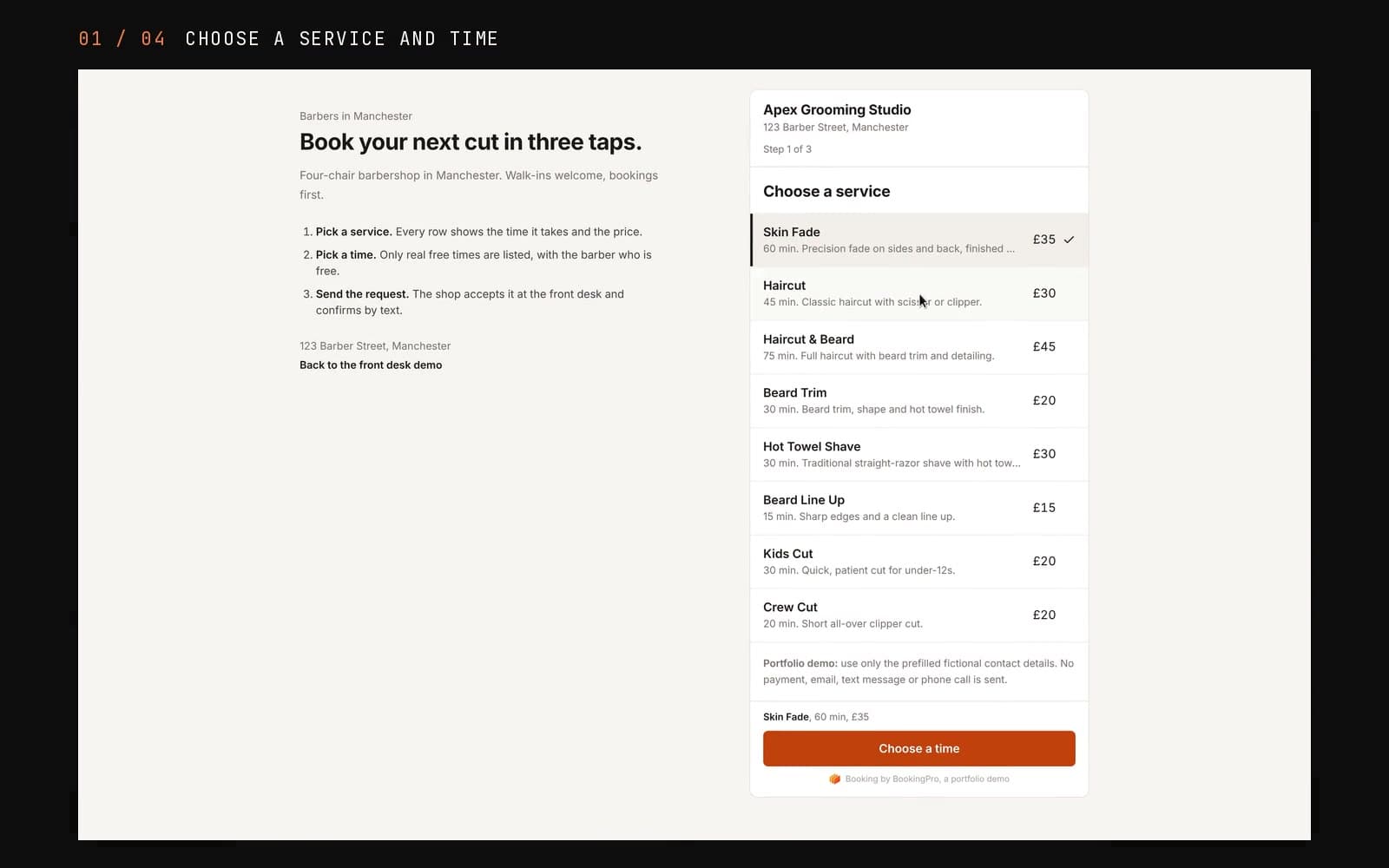
Customer-facing booking request flow for choosing a service, staff member, time slot, and contact details while the admin side keeps control.
Demo Limits
BookingPro uses fictional Apex Grooming Studio data for portfolio review. It should not be treated as a real multi-tenant booking system until authentication, tenant scoping, backups, and production data rules are in place.
The Challenge
Service teams often start with calendars and messages, but that becomes messy once booking volume grows. They need one place to see upcoming work, customer details, booking status, and admin actions.
The Solution
I built a booking demo that shows how scheduling, customer records, services, payments, and admin screens can fit into a small-business product.
Live
Demo Status
Booking
Use Case
Booking
Core Flow
Ops
Focus
Key Features
What it does.
01
Booking Dashboard
A central view for upcoming bookings, current status, and the work that needs attention.
02
Customer Records
Structured customer details so service teams can manage bookings without hunting through messages.
03
Admin Screens
Practical forms, lists, and status views designed for daily admin use.
04
Responsive Layout
Built to remain usable on desktop and smaller screens for on-the-go admin work.
05
Demo-Safe Data
Uses sample data suitable for portfolio review and client walkthroughs.
06
Coolify Deployment
Runs as a public demo app on x-os with a dedicated HTTPS URL.
Tech Stack
Built with.
Frontend
Backend
Data
Infra